
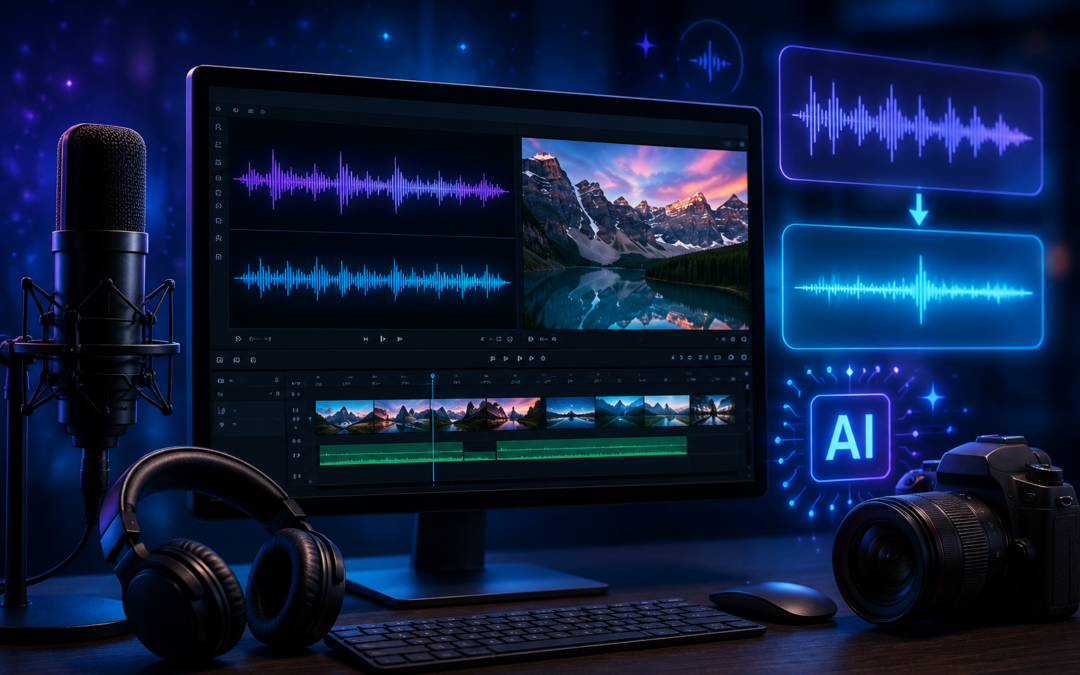
If you create videos, record podcasts, or produce any kind of online content, you already know that bad audio is the fastest way to lose an audience. It does not matter how good your message is. If the sound is cluttered with background noise, ambient hum, or an unwanted audio track playing behind your voice, viewers will click away.
The good news is that AI has made audio cleanup genuinely accessible. You no longer need a professional studio or an expensive audio engineer. Today there are purpose-built tools that handle noise cancellation, audio separation, and cleanup automatically, giving creators clean, professional-sounding output in minutes.
This guide walks through the most common audio problems content creators face and the AI tools that solve them most effectively.
Why Audio Quality Determines Whether People Keep Watching
Studies on viewer behavior consistently show that audiences will tolerate average video quality far longer than they will tolerate poor audio. A shaky camera is forgivable. A voice buried under background noise is not. Viewers associate clean audio with professionalism and credibility, even when they cannot consciously explain why.
For educators, YouTubers, podcasters, and online course creators, this means audio cleanup is not optional. It is part of the production standard that audiences expect, and AI has made meeting that standard faster and cheaper than ever before.
The Two Distinct Audio Problems Most Creators Face
Before picking a tool, it helps to identify exactly what you are trying to fix. Most audio cleanup tasks fall into one of two categories:
1. Background Noise in Recordings
This covers environmental interference that bleeds into your recording. AC hum, keyboard clicks, traffic noise, room echo, fan sounds, and crowd chatter all fall into this category. Noise reduction and noise cancellation tools are designed specifically for this. They analyze your audio, identify the frequencies that do not belong to your primary voice or instrument, and suppress them without degrading the main track.
2. Unwanted Audio Mixed Into Video
This is a different and often trickier problem. You recorded video in a location where music, TV audio, or crowd sound was playing in the background, and it got mixed into the same track as your voice. To fix this you need to either isolate your voice or remove background music from video entirely before re-editing. This requires stem separation technology rather than standard noise reduction, and the two should not be confused.
AI Tools That Actually Solve These Problems
Noise Reducer AI — For Background Noise Cleanup
Noise Reducer AI is a browser-based tool built specifically for creators who need fast, reliable noise reduction without installing software. You upload your audio or video file, the AI processes it, and you download a cleaned version. It works well on voice-heavy content including podcast recordings, online course videos, and talking-head YouTube content.
The noise cancellation engine is strong enough to handle most common problems like room hum, keyboard noise, and ambient environmental sounds without making voices sound robotic or over-processed. It also supports video files directly, which saves the extra step of extracting audio before cleaning it. Creators who need to remove background music from video or strip out ambient noise from recorded footage will find this tool covers both use cases in one place.
Noise Reducer AI Vocal Remover — For Stem Separation
For the second category of problem, where you need to isolate or extract individual audio components from a mixed track, the vocal remover tool handles this separately using AI-powered stem separation. It splits a mixed audio track into its individual components, typically vocals, instrumentals, and background elements, so you can work with each layer independently.
This is particularly useful for video editors who recorded in environments where music was playing, musicians who want to isolate an instrumental from a recorded mix, or anyone working with audio that has deeply layered tracks that standard noise cancellation tools cannot cleanly separate.
Adobe Podcast Enhance — For Voice-Only Content
Adobe offers a free web tool focused entirely on spoken word content. It applies automatic noise reduction and voice enhancement to audio recordings with solid results for podcast interviews and narration. The limitation is that it only processes audio files, not video, and does not handle stem separation or music removal. It works well as a quick fix for podcast recordings but is not versatile enough for broader video production needs.
Descript — For Full Production Workflows
Descript is a complete audio and video editor with built-in Studio Sound features that apply noise reduction automatically during editing. It is the right choice for creators who want an all-in-one production environment rather than a standalone cleanup tool. The tradeoff is that it has a steeper setup curve and a subscription cost for full features. If you already edit in Descript, the noise cancellation is a convenient built-in feature. If you just need a quick cleanup, a dedicated tool is faster.
Auphonic — For Podcast Audio Leveling
Auphonic has been a reliable choice for podcasters for years, handling automatic audio leveling, noise reduction, and loudness normalization across batch uploads. It integrates directly with podcast hosting platforms and is efficient for high-volume audio production. It is less suited for video content or music separation tasks but handles spoken word audio at scale better than most alternatives.
Matching the Right Tool to the Right Problem
Choosing the wrong tool for your specific problem is the most common mistake creators make when trying to clean up audio. Here is a quick reference:
- Background hum, fan noise, keyboard sounds, room echo: use a dedicated noise reduction tool
- Music or crowd audio mixed into your video recording: use a stem separation or vocal remover tool
- Podcast audio leveling across multiple episodes: use Auphonic
- Full video editing with cleanup built in: use Descript
What AI Audio Tools Cannot Fix
It is worth being realistic about the limits of current AI audio processing. Extremely loud background interference that completely overlaps with your primary voice is difficult to separate cleanly without introducing artifacts. Rooms with heavy reverb or echo also present challenges because aggressive noise cancellation can sometimes cause voices to sound unnatural or hollow when the algorithm over-processes the signal.
AI audio cleanup works best as a finishing step on recordings that are already reasonably good. Treat it as a way to remove minor interference and polish your audio rather than a substitute for decent recording conditions. A quiet room and a decent microphone will always give you a stronger starting point for AI tools to work with.
Final Thoughts
AI has lowered the barrier to professional audio quality significantly. Whether you are cleaning up background noise in a podcast recording, trying to isolate a voice track from a noisy environment, or looking to strip out unwanted sound from video footage, the tools available in 2026 are genuinely capable and accessible to any creator regardless of technical skill level.
Start by identifying your specific problem, match it to the right tool, and you will spend less time editing and produce cleaner, more professional content from every recording session.
About the Author
Isla Smith
Isla Smith is a digital publishing strategist and content tools reviewer based in Sheridan, Wyoming. She writes about ad monetization, AI tools, and publisher growth strategies at adprotechnologies.com.