
Building scalable systems with python on data science initiatives requires strict isolation between project runtimes, deterministic dependency resolution, and disciplined environment management. Whether preparing data pipelines or structuring reproducible machine learning artifacts, managing the underlying interpreter and binary toolchains forms the technical baseline for engineering teams and bootcamp candidates alike.
Interpreter Isolation: PEP 405 Virtual Environments vs. Conda
System-level package pollution occurs when global package managers modify an unsegmented interpreter. Without directory isolation, competing projects inevitably demand mutually exclusive dependency trees, yielding runtime breakage when global libraries mutate. Modern runtime engineering relies on two distinct mechanisms to maintain dependency boundaries: standard interpreter prefixes and binary package environments.
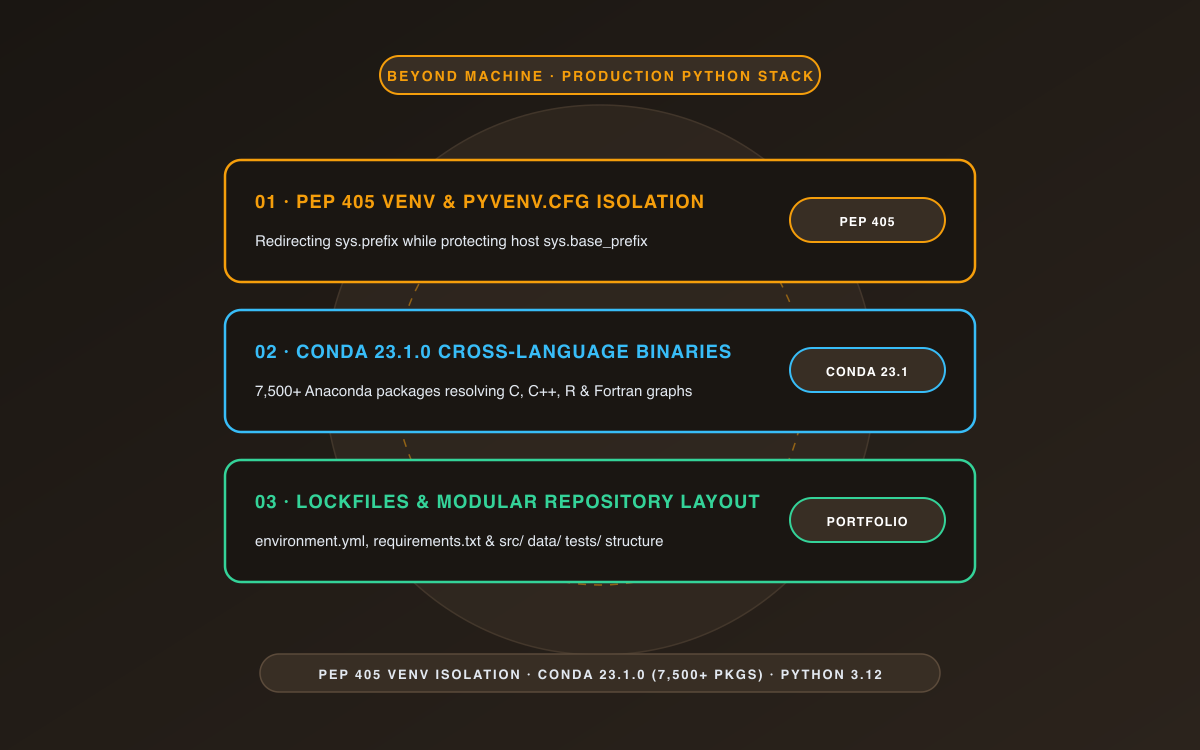
Under PEP 405, the standard library offers the venv module to deliver lightweight isolation. A virtual environment establishes an isolated directory containing a dedicated site directory, an interpreter symlink or copy, and an explicit configuration file titled pyvenv.cfg. When launched, the interpreter evaluates sys.prefix against sys.base_prefix. If pyvenv.cfg contains a valid home key pointing to the host runtime, sys.prefix points to the local directory, isolating third-party additions inside a discrete site-packages directory while referencing the underlying base standard library.
In contrast, Conda acts as a cross-platform environment and package manager capable of distributing binaries not only for Python, but also for languages such as C, C++, R, and Java. While venv relies on an existing Python runtime on the host operating system, Conda can install entirely independent Python versions, pre-compiled shared libraries, and C-extension dependencies directly into isolated prefixes across Windows, macOS, and Linux platforms.
When selecting architectural tooling for analysis, teams often compare ecosystems using resources like the guide to best languages for machine learning and data analytics and foundational guides such as understanding Python practical setup and applications.
Comparative Analysis: venv vs. Conda Toolchains
The choice between standard library virtual environments and multi-language package managers influences installation speed, non-Python system dependencies, and deployment pipelines. Evaluating their key functional differences clarifies which mechanism suits particular phases of development.
| Capability | Python venv (PEP 405) | Conda / Miniconda |
|---|---|---|
| Language Scope | Python packages and standard library references | Cross-language binaries (Python, C/C++, R, Java, Fortran) |
| Runtime Isolation | Sets sys.prefix via pyvenv.cfg; shares base standard library |
Installs completely independent binary prefixes and interpreter builds |
| Python Version Handling | Requires the target Python binary to exist on the host machine | Installs and switches arbitrary Python versions directly per environment |
| Default Distribution Channels | PyPI (via pip) |
Anaconda Repository (over 7,500 packages) and community channels like conda-forge |
| Standard Activation Mechanism | Modifies shell PATH via activation scripts; optional via direct binary paths |
Updates path environment via conda activate or direct prefix execution |
Anaconda and Miniconda Configuration for Engineering Workflows
For data science operations handling complex binary libraries, Anaconda distributions provide pre-configured package sets. When minimal footprints are required for continuous integration or containerization, Miniconda serves as a lightweight alternative preconfigured for the Anaconda Repository. Community workflows also frequently leverage Miniforge to standardize on the conda-forge channel.
According to Conda documentation, the system manages over 7,500 packages at repo.anaconda.com that are built, reviewed, and maintained by Anaconda. A clean environment workflow separates experimental projects and maintains strict version pinning:
# Create an isolated environment specifying a target Python version
conda create --name portfolio_env python=3.12

# Activate the environment context
conda activate portfolio_env

# Configure package channels or install dependencies
conda install --channel conda-forge package_name
For operations teams seeking rapid reference cards across machine learning commands and configurations, referencing cheatsheets for data science and machine learning can streamline daily terminal workflows.
Deterministic Execution with Standard Python Tooling
When working strictly within standard Python 3 documentation specifications without external package managers, generating a local environment using the built-in venv module requires executing:
# Generate an isolated virtual environment
python3 -m venv .venv

# Validate execution context without requiring shell activation
./.venv/bin/python -c "import sys; print(sys.prefix != sys.base_prefix)"

# Install project requirements directly bound to the environment interpreter
./.venv/bin/python -m pip install -r requirements.txt
Targeting the virtual environment’s interpreter directly via python -m pip prevents common path routing errors where a global pip binary installs packages into the host operating system rather than the local target prefix.
Portfolio Architecture: Reproducibility and Verification
Senior reviewers and engineering bootcamp assessors evaluate machine learning portfolios based on reproducibility, interface clarity, and robust environment configuration. Projects that omit environment boundaries or fail to isolate dependencies cannot be verified independently across different developer machines or automated CI/CD runners.
To demonstrate production readiness in a technical portfolio, structure repositories with the following artifacts:
- Explicit Configuration: Provide fully declared environment definitions, using either an
environment.ymlfile for Conda or an exactrequirements.txtpinned with explicit sub-dependency hashes forpip. - Direct Path Calling: Document automation scripts and testing entry points using interpreter-bound flags (such as
python -m pytest) rather than assuming an active ambient shell state. - Runtime State Introspection: Verify programmatically that scripts execute inside an isolated prefix by asserting
sys.prefix != sys.base_prefixbefore launching compute-heavy jobs.
Frequently Asked Questions
How do you programmatically verify whether code is executing inside a Python virtual environment?
As documented in PEP 405, an active virtual environment sets sys.prefix to the directory housing pyvenv.cfg, while sys.base_prefix retains the path of the original host installation. Checking sys.prefix != sys.base_prefix in Python evaluates to True when running inside an isolated virtual environment and False under the system-wide global interpreter.
When should an engineering team use Conda instead of pip and venv?
Conda functions as both an environment and a package manager capable of compiling and resolving multi-language binary dependencies (such as C/C++ or Fortran numerical packages). If your data science pipelines depend on complex compiled libraries, GPU runtimes, or non-Python packages, Conda avoids manual host toolchain compilation. For pure Python applications with standard wheels, venv combined with pip offers a lightweight, standard-library solution.
Is shell activation mandatory when executing code in virtual environments?
Shell activation scripts merely prepend the environment’s bin/ or Scripts/ directory to the shell’s PATH variable. Activation is optional; you can achieve identical, deterministic execution by directly invoking the virtual environment’s executable, such as .venv/bin/python script.py, which is standard practice in CI/CD automation pipelines.
References
- Python 3 Official Documentation — Python Software Foundation.
- PEP 405: Python Virtual Environments — Carl Meyer, Alyssa Coghlan.
- Conda Documentation — Conda Community.
- Conda 23.1.0 Documentation — Anaconda, Inc.
1-on-1 AI & Data Science Mentorship
Accelerate your career with personal coaching from Dr. Stylianos Kampakis. Tailored portfolio reviews, interview prep, and direct industry placement.
1-on-1 VIP Mentorship & AI Bootcamp Application
Personalized career acceleration and portfolio review directly with Dr. Stylianos Kampakis.